eSIMs vs. International Roaming: The Smartest Way to Stay Connected Abroad
Landing abroad used to mean one anxious question: how much will my phone bill hurt? A travel eSIM has changed that maths, and this best travel eSIM guide explains the smartest way to stay connected.
An eSIM is a digital SIM built into your phone. You download a data plan before you fly, and you land already online, with no plastic card to swap and no surprise bill waiting at home.
Roaming still works, of course. Your home carrier simply rents you data from a foreign network, and the convenience is real. The problem is the price, which can turn a short trip into a four-figure shock.
This guide compares the two options with real 2026 prices, covering costs, data needs, phone checks and setup.
What is an eSIM, and how is it different from roaming?
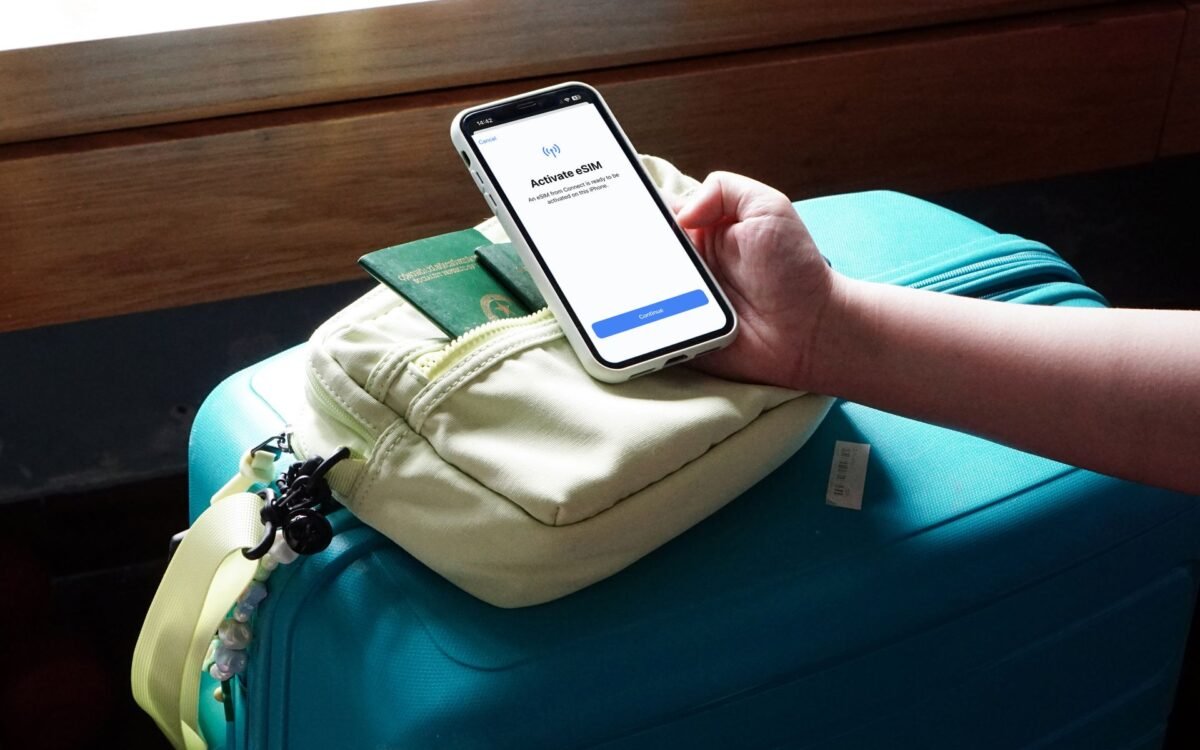
An eSIM is a small chip soldered inside your phone. Instead of a plastic card, you download a mobile plan by scanning a QR code, and the profile is ready in about two minutes.
Your original SIM stays in place. The eSIM becomes a second line for data, while your normal number keeps receiving calls and texts, so nothing important is lost.
Roaming is the opposite approach. Your home carrier keeps your line active abroad and bills you for the privilege, usually by the day or by the megabyte.
The practical difference is control. With an eSIM you pay once, upfront, and you know the total cost before you board the plane.
How much does international roaming really cost?
Roaming looks cheap until you multiply it. The two big US carriers charge about $12 a day for an international day pass, according to a 2026 comparison that checked the published rates.
A week abroad therefore costs about $84 before you use a single extra megabyte. Two weeks costs about $168, and a month costs about $360.
Pay-per-use roaming is far worse. Without a day pass, some carriers charge more than $2 per megabyte, which turns a single gigabyte into a bill of more than $2,000.
Some plans include roaming data, but it is usually throttled. It is fine for maps and messages, yet painful for video calls or streaming, as the same comparison notes.
How much does a travel eSIM cost in 2026?
A travel eSIM is priced once per plan, not per day. A Europe plan from one leading marketplace costs $5 for 1 GB over three days, $19.50 for 5 GB over a month, or $48 for 20 GB.
Unlimited plans cost more but remove the maths entirely. One well-known unlimited provider charges $27.50 for a week in Europe, $50.50 for two weeks, or $73.90 for a month.
Prices vary by destination, and they change often. The figures above were verified against published plans in October 2026, so check the current price before you buy.
The gap is the story. A week in Europe costs about $84 on a $12 daily roaming pass, or about $20 on a 5 GB eSIM that lasts the whole month.
eSIM vs roaming: which wins for a week-long trip?
| Option | 7 days in Europe | What you get | Best for |
|---|---|---|---|
| Roaming day pass | About $84 | Your own number, full allowance | One-day trips |
| 5 GB eSIM | About $19.50 | 5 GB valid for 30 days | Most holidays |
| Unlimited eSIM | About $27.50 | Unlimited data for 7 days | Heavy users |
| Local physical SIM | About $25–$60 | Local number, cheap data | Month-long stays |
The table shows the pattern clearly. Roaming wins only on trips of a day or two, where the $12 fee is smaller than the cheapest eSIM plan.
For any trip of three days or more, the eSIM is cheaper, usually by a wide margin. That is the conclusion of several independent 2026 comparisons, and the maths holds across most destinations.
One cost guide puts the totals in plain terms: a two-week trip costs $15 to $45 on a travel eSIM, but $140 to $300 or more on roaming day passes, in its real-cost comparison of all three options.
How much mobile data do you actually need abroad?
Most travellers overbuy data, because they guess instead of measuring. The real numbers are smaller than most people expect, except for video.
Maps and navigation use about 2 to 10 MB per hour, and messaging uses only a few megabytes a day. Music streaming takes roughly 40 to 150 MB per hour, depending on quality.
Social media is the hidden cost. Scrolling feeds with autoplay video uses roughly 300 MB to 1 GB per hour, which is why an evening of scrolling can eat a small plan.
Video is the real data hog. A standard-definition stream uses about 0.5 to 1 GB per hour, HD uses 1.5 to 3 GB, and a video call takes roughly 300 MB to 1.5 GB per hour.
These activity figures come from a realistic activity-by-activity estimate of travel data use. Treat them as planning ranges, not guarantees, because app versions and quality settings change the result.
A light traveller, using maps and messages, needs about 0.5 to 1 GB a day. An everyday traveller needs 1 to 2 GB, and a heavy user with video calls or a laptop hotspot needs 3 to 5 GB.
For a week, that means 5 to 10 GB for everyday use, or 15 to 20 GB if you stream and call daily. Add a 20 percent buffer, and buy the next size up if you are unsure.
Will a travel eSIM work on your phone?
Most phones from 2018 onwards support eSIM, but not all of them. Check before you buy, because no app or setting can add eSIM to a phone that lacks the chip.
On iPhone, every model from the XS and XR onwards supports eSIM. On Android, that means Google Pixel 3 and later, and Samsung Galaxy S20 and later.
There are exceptions. Some Samsung models sold in certain regions disable eSIM in software, and iPhones sold in mainland China and Hong Kong do not support it at all.
The fastest check takes thirty seconds. On iPhone, open Settings, then General, then About, and look for an EID number. On Android, dial *#06# and look for the same code.
Your phone must also be carrier-unlocked. A phone still tied to a contract may install an eSIM profile but never connect, so ask your carrier to unlock it before you travel.
These compatibility rules are set out in a 2026 list of every eSIM-compatible phone. If you see no EID number, your phone cannot use an eSIM.
United States iPhones from the 14 series onwards have no physical SIM slot at all. They are eSIM-only, which makes this guide essential rather than optional for their owners.
How do you set up an eSIM before you fly?
Buy and install your eSIM at home, on Wi-Fi, at least a day before departure. That gives you time to fix problems while you still have a stable connection.
The seller sends a QR code by email. On iPhone, open Settings, then Cellular, then Add Cellular Plan, and scan the code. On Android, the path is similar under Network settings.
Install the profile but keep it switched off until you land. Most plans activate the first time the eSIM connects to a local network, so an early start wastes paid days.
Screenshot your QR code before you travel. A code can usually be used only once, so a saved copy is your backup if you need to reinstall the profile.
When you land, switch off aeroplane mode, enable the eSIM, and set it as your data line. Your home SIM stays active for calls and texts, and your messaging apps keep your usual number.
These steps follow a complete guide to setting up an eSIM for travel. The guide also warns that a QR code cannot be reused once it has been scanned.
When is roaming still the smarter choice?
Roaming is not always wrong. For a one-day trip across a border, a single $12 day pass is simpler and cheaper than buying and installing an eSIM.
It is also the right backup. If your eSIM fails, or your phone does not support one, roaming gets you online in minutes, with no shop visit and no QR code.
Some travellers need their home number for banking codes and two-factor logins. Roaming keeps that number live, while a data-only eSIM cannot receive those texts.
Business travellers on a company plan may not pay the roaming bill themselves. If someone else covers it, the convenience of roaming can outweigh the cost.
What are the catches and hidden limits of eSIMs?
The word unlimited deserves suspicion. Some unlimited plans slow your speed sharply after a daily allowance, such as 1 GB a day at full speed and then a crawl.
Coverage claims also need care. A plan that lists 200 countries may run on a weak partner network in some of them, so check reviews for your exact destination.
Most travel eSIMs sell data only. They do not include a phone number, so you cannot make ordinary calls or receive SMS codes unless you keep your home SIM active.
Hotspot rules vary by plan. Some allow unlimited tethering, others cap it at 1 GB a day, which matters if you plan to work from a laptop on the road.
Refunds are another trap. Some sellers allow only a seven-day refund window, while others give thirty days, so read the terms before you pay.
How do you pick the right plan for your trip?
Start with your trip, not the provider. Count the days, list the countries, and estimate your daily data from the activity figures above, then add a buffer.
For one country, buy a local plan. For several countries in one region, a regional plan is cheaper than buying a new plan at every border.
Global plans cover more than 100 countries, but they cost more per gigabyte. They only pay off when your route genuinely spans several regions.
Light users should buy a fixed-data plan. Heavy users, streamers and remote workers should compare unlimited plans, and read the fair-use limit first.
Check the network behind the plan. A plan that runs on a strong local carrier will beat a cheaper plan that roams on a weak partner, especially outside big cities.
Finally, check the expiry. Some plans start the clock at purchase, others at first use, and a plan that expires before your trip ends is money wasted.
For more ways to travel smarter, browse our travel tips and travel guides, or explore the wider travel section and the latest travel news.
Frequently asked questions
Is an eSIM cheaper than roaming?
Yes, for almost every trip longer than two days. A week in Europe costs about $84 on a $12 daily roaming pass, but about $20 on a 5 GB eSIM, according to 2026 prices checked against published plans.
Do I need Wi-Fi to install an eSIM?
Yes, you need an internet connection to download the eSIM profile. Install it at home on Wi-Fi before you fly, so you are not stuck without a connection at the airport.
Can I keep my WhatsApp number with a travel eSIM?
Yes. A travel eSIM is data-only, so your normal SIM stays in the phone for calls and texts, and messaging apps keep using your usual number.
What happens when my eSIM data runs out?
Most providers let you top up the same plan or buy a new one in their app. Buying a top-up before you run out avoids a gap with no connection.
Can I use an eSIM and my normal SIM at the same time?
Yes, most modern phones support dual SIM. Set the eSIM as your data line and keep your home SIM active for calls and texts.